
Samsung Display Solutions for Hotels and Hospitality
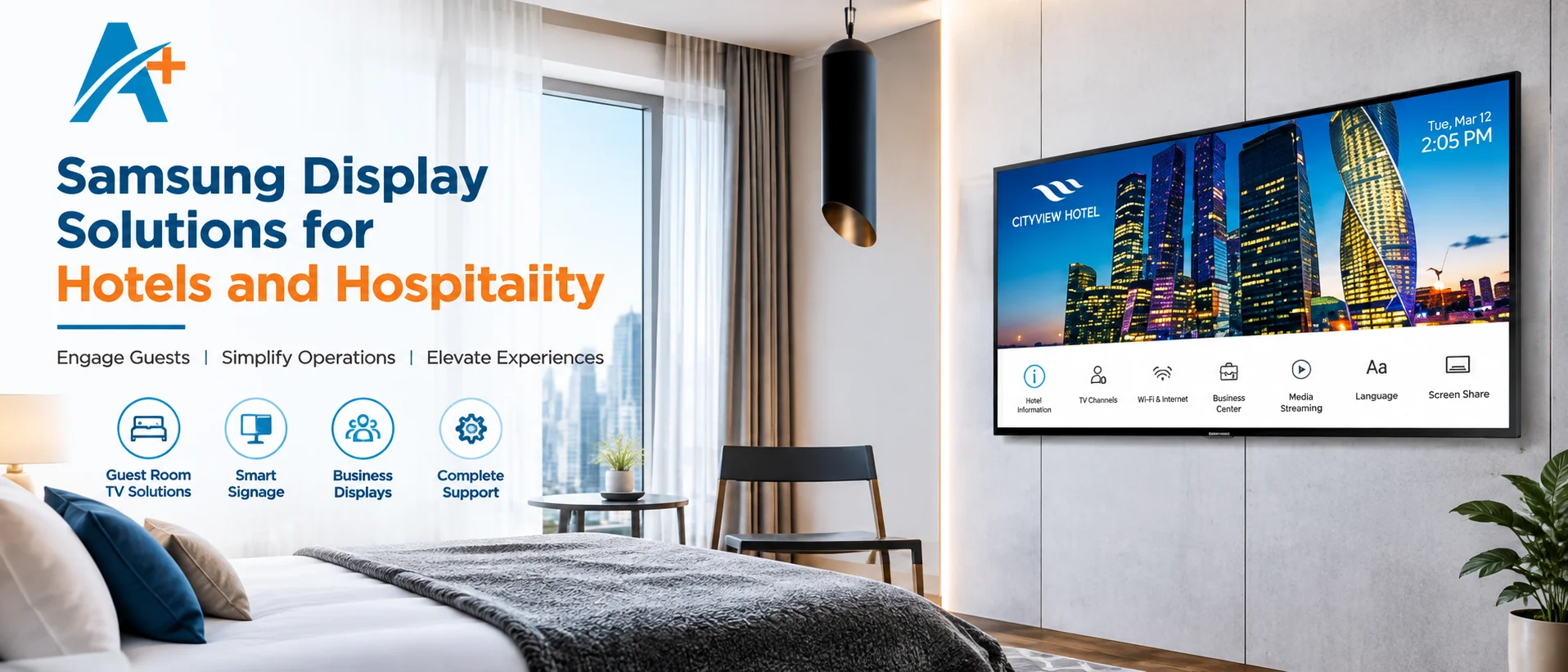
Samsung display solutions for hotels include hospitality televisions, commercial smart signage, business displays and specialist screens used across guest rooms, lobbies, reception desks, restaurants, meeting areas and back-of-house spaces. The correct choice depends on what each screen must do: deliver guest entertainment, show wayfinding, promote services, present menus, support meetings or communicate operational information. A hotel should therefore plan a display ecosystem rather than buy one television model for every location.
Aplus Technology Solutions lists dedicated Samsung Hotel TV options as well as Samsung smart signage and other commercial-display categories. Buyers should verify the current model, size, operating-hour rating, content platform, connectivity, warranty and installation scope before approving a bill of quantities. Consumer televisions can appear cheaper, but they may lack hospitality controls, fleet management and the operating profile needed for a commercial environment.
Match the display type to the hotel location
| Hotel area | Primary display purpose | Useful selection focus |
|---|---|---|
| Guest room | Entertainment and hotel information | Hospitality controls, casting policy, channel setup and remote management |
| Lobby and reception | Welcome content, branding and wayfinding | Brightness, viewing distance, mounting and content scheduling |
| Restaurant and café | Menus, promotions and service information | Readability, update frequency, orientation and operating hours |
| Meeting and banquet space | Presentations, events and collaboration | Inputs, screen size, audio, control and support |
| Staff areas | Schedules, dashboards and notices | Simple management, reliability and access control |
Guest rooms
A guest-room screen must be easy to use after every check-in, not merely impressive during a demo. Hospitality features can include controlled start-up settings, channel and volume policies, welcome messaging and integration possibilities, depending on the model and hotel system. The team should define whether guests need broadcast channels, apps, personal-device casting or hotel information. Privacy is critical: any casting or login method needs a reliable reset process so a departing guest’s information is not exposed to the next occupant.
Lobby, reception and circulation areas
Lobby screens work as digital signposts and brand surfaces. They may show arrivals, conference information, promotions, emergency messaging or directions. Screen size should follow viewing distance and text density; brightness should reflect ambient light without creating glare. A portrait screen can suit wayfinding, while a landscape screen may suit video and brand content. The mounting position must preserve sightlines and accessibility and should not obstruct reception operations or evacuation routes.
Restaurants, cafés and service counters
Menu boards need fast content changes and consistent layouts across screens. Procurement should clarify whether pricing and availability are updated manually, scheduled from a content-management platform or connected to another system. Readability matters more than decorative motion: sufficient type size, contrast and dwell time help guests make decisions. Screens near food preparation or open entrances may also face heat, grease, humidity or dust, so placement and enclosure conditions need review.
Conference, banquet and meeting spaces
Event displays must accept the devices and signal formats clients actually bring. The specification should cover connection points, wireless presentation requirements, resolution, cable distance, audio routing and technician access. A large single screen may be simpler than a projection system in a bright room, but size alone does not solve visibility for deep seating. The integrator should check viewing angles, room layout and whether image distribution to multiple screens is needed.
Hospitality TV vs commercial signage
| Decision area | Hospitality TV | Commercial smart signage |
|---|---|---|
| Primary role | Guest-room viewing and hotel-controlled experience | Public information, promotion, menus and wayfinding |
| Management | Hospitality-oriented configuration varies by model | Scheduled or network-managed content varies by platform |
| Placement | Primarily guest rooms and suites | Lobby, restaurant, corridor, conference and staff areas |
| Buying question | How will channels, casting and room reset work? | How will content be created, approved, scheduled and monitored? |
The categories can overlap visually but are designed around different operating workflows. A hospitality TV is typically evaluated around guest-room control and entertainment. A signage display is evaluated around content playback, scheduling, orientation, duty cycle and centralized operation. Using signage in a room or a TV as a menu board without checking these needs can create support problems. Aplus also lists a wider commercial display product range for comparing categories before models are shortlisted.
Seven steps for selecting hotel displays
1. Build a location-by-location use-case schedule
List every screen location, audience, viewing distance, content type, daily operating hours, mounting orientation and responsible team. Separate guest-room quantities from public-area signage and event displays. This schedule prevents a general requirement such as “100 hotel TVs” from hiding different needs in suites, accessible rooms, the lobby and conference spaces. It also gives suppliers a consistent basis for comparison.
2. Define the content and control workflow
Decide who creates, approves, schedules and removes content. A display is only one part of the system; media players, network connectivity, licences, templates and user permissions may also be required. For multi-property groups, determine whether each hotel controls its own content or follows a central brand calendar. Ask how a failed or offline screen is identified and what content continues to play during a network interruption.
3. Choose size from distance and information density
A screen showing a few large directions can be read from farther away than a detailed conference agenda. Measure the typical and maximum viewing distances and identify whether guests will be standing, seated or moving. Consider bezel, orientation and mounting height as part of the visible result. Larger is not automatically better; an oversized guest-room screen or low-mounted lobby display can feel uncomfortable and complicate installation.
4. Review brightness, reflection and operating environment
Visit each location at its brightest and darkest periods. Direct sunlight, glass walls and polished interiors can reduce perceived contrast. Increasing brightness may help, but glare control, angle and placement are equally important. Confirm ventilation and temperature around recessed installations. Displays intended for indoor controlled environments should not be placed outdoors or in wet areas without a product and enclosure designed for those conditions.
5. Confirm connectivity and integration boundaries
Document required HDMI, USB, network, wireless, control and audio connections. For guest rooms, confirm the hotel television system, headend, set-top box, casting approach and property-network responsibilities. For meeting rooms, specify supported laptops and adapters. Integration claims should be validated against the exact model and software version; a feature available in one series or region should not be assumed for every offered unit.
6. Plan mounting, power and network infrastructure
A coordinated survey should verify wall construction, bracket type, service clearance, cable path, power outlet, data point and access for replacement. Lobby and corridor installations need tamper awareness and clean cable management. Guest-room work should be sequenced to limit room downtime. The quotation should say whether brackets, cabling, conduits, civil finishing, network work, lifts and after-hours installation are included.
7. Validate support and life-cycle costs
Compare warranty terms, response route, replacement procedure, commissioning, training, spare strategy and software or licence costs. Ask whether the supplier will configure every unit, provide an asset register and record serial numbers by location. The About Aplus Technology Solutions page describes its display and IT-services focus; the project quotation should still define exact responsibilities and service levels.
A practical hotel display specification checklist
- Location schedule states quantity, purpose, size, orientation and viewing distance.
- Exact model codes and current datasheets are attached to the quotation.
- Daily operating hours and environmental limits match each location.
- Guest-room privacy, casting and reset workflow are demonstrated.
- Content platform, licences, templates, users and network ownership are defined.
- Mounts, cabling, power, data, installation and making-good are clearly scoped.
- Testing covers real hotel content and representative user devices.
- Training, asset register, warranty and support escalation are included.
Deployment and acceptance testing
Use a sample room and a representative public-area screen before mass deployment. The pilot should test mounting height, remote control, channel lineup, casting or content playback, network behaviour, sound, start-up settings and room reset. For signage, verify schedules, portrait content, offline playback and user permissions. Obtain approval on the pilot configuration so later rooms and screens can be checked against a stable standard.
At handover, inspect image quality, dead or damaged pixels under the agreed policy, secure mounting, cable finish, network status, content assignment and asset labels. Record model and serial number against room or location. Provide administrators with credentials through a secure process and give operational staff a simple recovery guide. Acceptance should separate product defects, network issues, source-content problems and user-training gaps so each goes to the correct owner.
Content governance after the screens go live
Hotels need an operating rule for content, not just an installation manual. Define which team owns guest-room messages, lobby campaigns, restaurant menus, conference listings and emergency notices. Give each role only the permissions it needs, and use an approval step for price, legal or brand-sensitive material. Establish naming conventions and expiry dates so an old package or completed event does not remain on screen. A monthly content audit can remove obsolete files and identify screens that have drifted from the intended playlist.
Security and continuity controls should be proportionate to the deployment. Change default credentials, separate administrative accounts from day-to-day users and document who can publish to guest-facing screens. Coordinate platform updates with hotel operations so a major conference or high-occupancy period is not used as an unplanned test window. Keep a current screen inventory, network map and supplier escalation route. If a display is replaced, ensure the old unit is removed from management groups and any stored configuration or guest-related data is handled under the hotel’s IT policy.
Track a few operational measures after launch: screens online, unresolved faults, average recovery time, expired content incidents and help-desk requests by location. These indicators show whether the original model and management choices are working. A recurring fault across several rooms may point to infrastructure or configuration rather than defective displays, allowing the hotel and supplier to address the correct cause.
Design templates should protect readability across different screen sizes and orientations. Set minimum type sizes, contrast rules, safe areas, image dimensions and maximum message length. Avoid putting crucial information at the edge of a display or in a video frame that appears for only a few seconds. Accessibility also matters: clear language, sufficient contrast, restrained motion and alternative service routes help more guests use the information. Each property should retain a simple fallback playlist for network or platform disruption.
Plan refresh cycles and future expansion
A phased rollout can reveal support and content issues before every room or property is affected. Start with a representative guest-room type, lobby zone and meeting area, then document changes before scaling. Maintain spare mounts, remotes or critical accessories based on the fleet and service plan. When future phases are likely, record cable capacity, network ports and platform limits now. Standardization reduces training and spares, but the standard should allow justified exceptions for suites, outdoor-adjacent areas or large function rooms.
Common procurement mistakes
Frequent mistakes include selecting by diagonal size alone, using consumer televisions for an unmanaged commercial duty, ignoring casting privacy, forgetting content licences, assuming hotel Wi-Fi can carry signage traffic, and leaving brackets or cabling outside every supplier’s scope. Buyers also lose leverage when quotations list only a brand and size without an exact model code. Another risk is copying specifications from an older property even though the guest journey, network and room design differ.
Avoid unverified claims about authorization, warranty or feature availability. Ask for the offered model datasheet and written commercial terms. Where a proposed model such as the Samsung Smart Signage Display QET Series is considered for public areas, evaluate it against the location schedule instead of treating a familiar series name as proof of fit.
Frequently Asked Questions
1. What is the difference between a hotel TV and a normal TV?
A hotel TV is designed around hospitality use and may provide centralized configuration, controlled settings and hotel-system features that vary by model. A normal consumer TV may not support the same workflow. Model availability, specifications, compatibility, warranty and service scope should be confirmed in the current quotation and official product documentation.
2. Where should hotels use smart signage?
Common locations include lobbies, reception areas, corridors, elevators, restaurants, meeting floors and staff areas where scheduled information, promotions or wayfinding are needed. Model availability, specifications, compatibility, warranty and service scope should be confirmed in the current quotation and official product documentation.
3. Can guests cast content from their phones?
Some solutions support casting, but compatibility, network design, room pairing and automatic privacy reset must be validated for the exact system. Model availability, specifications, compatibility, warranty and service scope should be confirmed in the current quotation and official product documentation.
4. How should screen size be selected?
Use viewing distance, room layout, content detail, mounting height and guest comfort. A supplier should review measured locations rather than apply one size everywhere. Model availability, specifications, compatibility, warranty and service scope should be confirmed in the current quotation and official product documentation.
5. Do hotel displays require a content management system?
Guest-room televisions and public signage have different control needs. A CMS is often useful for scheduled signage, but its need and licence scope depend on the deployment. Model availability, specifications, compatibility, warranty and service scope should be confirmed in the current quotation and official product documentation.
6. Can one platform manage several hotel properties?
Potentially, if the selected platform supports multi-site permissions, grouping, monitoring and network access. The workflow should be demonstrated before purchase. Model availability, specifications, compatibility, warranty and service scope should be confirmed in the current quotation and official product documentation.
7. What should be included in an installation quotation?
Check displays, mounts, players, licences, cabling, power and network responsibilities, configuration, testing, training, warranty, access equipment and civil finishing. Model availability, specifications, compatibility, warranty and service scope should be confirmed in the current quotation and official product documentation.
9. How can a hotel protect guest privacy?
Use an approved casting and login design with room isolation, automatic session clearing and a tested checkout reset. Do not rely on staff remembering to sign out manually. Model availability, specifications, compatibility, warranty and service scope should be confirmed in the current quotation and official product documentation.
10. Are consumer TVs suitable for lobby signage?
They may not match required operating hours, orientation, management or commercial warranty conditions. Compare the actual duty and support terms before deciding. Model availability, specifications, compatibility, warranty and service scope should be confirmed in the current quotation and official product documentation.
11. What should be tested in a sample room?
Test startup, channels, volume policy, remote control, casting, network recovery, source switching, privacy reset, mounting and the staff support procedure. Model availability, specifications, compatibility, warranty and service scope should be confirmed in the current quotation and official product documentation.
12. How should hotels compare supplier proposals?
Use one compliance table covering exact models, features, quantities, accessories, software, installation, exclusions, warranty, service response and total life-cycle cost. Model availability, specifications, compatibility, warranty and service scope should be confirmed in the current quotation and official product documentation.
13. What information should be shared for a quotation?
Share floor plans, location schedule, quantities, preferred sizes, room system, network details, content needs, operating hours, mounting conditions and deployment timeline. Model availability, specifications, compatibility, warranty and service scope should be confirmed in the current quotation and official product documentation.
Create a Consistent Guest Experience from Room to Lobby
A successful hospitality display programme connects each screen to a clear guest or operational purpose, then aligns the model, management platform, infrastructure and support plan. Aplus Technology Solutions can review room counts, public-area locations, content workflows and installation requirements before recommending current options. Use the Aplus contact pageto share your location schedule and request a model-specific proposal.


